
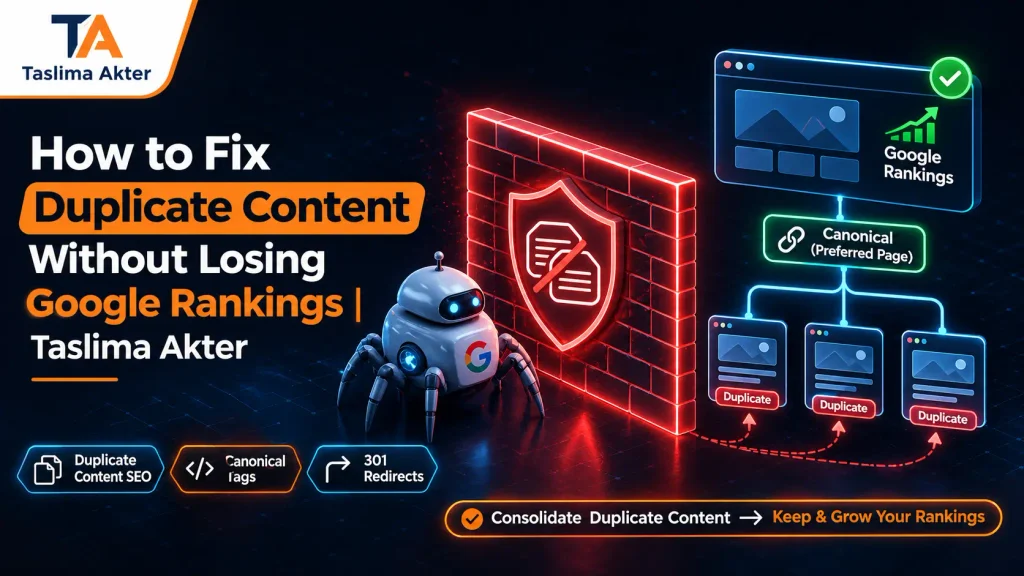
Duplicate Content SEO involves identifying identical or substantially similar webpages and managing them so search engines can understand which URL should represent the information. When several URLs compete to represent the same content, website owners may experience unexpected canonical selection, fragmented internal links, or uncertainty about which page should remain in search results.
Imagine managing a business website with two articles covering almost the same topic. One article has attracted valuable backlinks, while the other receives more organic clicks. Although combining them might improve content organization, choosing the wrong URL or implementing an unsuitable redirect could disrupt existing search visibility. Therefore, fixing duplication requires more than deleting the weaker-looking page. You need to review traffic, search intent, indexing status, internal links, and the information visitors expect to find.
Fortunately, duplicate content does not automatically result in a Google penalty. Many websites generate repeated URLs through parameters, categories, filters, and content management systems. However, search engines generally prefer a representative canonical URL when multiple pages contain the same or very similar information. Consequently, your responsibility is to provide clear technical signals while preserving genuinely useful content.
In this blog, Taslima Akter, Chairman & Co-Founder at Floriva IT and an SEO specialist based in Bangladesh, explains how to find duplicate pages, evaluate their existing SEO value, and select the right solution. The guide also covers canonical tags, permanent redirects, WordPress configuration, content consolidation, and performance monitoring. As a result, website owners and digital marketers can make better-informed decisions while reducing unnecessary risks to existing Google rankings.
Understand the Duplicate Content Challenge
DUPLICATE URLS
Several addresses display similar information.
SEARCH VISIBILITY
Different pages carry traffic, links, and search signals.
CANONICAL CLARITY
One clear preferred version supports consistent indexing.
The goal is not fewer pages at any cost. It is the right pages, with the right content and signals.
What Is Duplicate Content in SEO?
Duplicate content refers to identical or substantially similar content available through more than one URL. Duplication can occur within a single domain or across different websites. In many cases, it happens because of technical configuration rather than intentional copying.
Internal Duplicate Content
Internal duplication occurs when multiple URLs on one website show essentially the same information. For example, a product may be accessible through its original address and a tracking-parameter variation. Similarly, a blog article may appear under several URL formats.
External Duplicate Content
External duplication happens when similar content appears across different domains. Common situations include syndicated articles, shared manufacturer descriptions, and unauthorized copying. However, the appropriate response depends on whether the publishing arrangement is legitimate and which website should represent the material.
When Similar Pages Are Not Duplicates
Two pages can discuss the same general topic without being duplicates. For example, an article explaining the causes of duplicate content may serve a different purpose from a tutorial about canonical tags. Therefore, evaluate the actual information and user intent before deciding that pages should be combined.
Does Duplicate Content Affect Google Rankings?
Ordinary duplicate content does not automatically cause a Google penalty. Nevertheless, duplication can create SEO complications when search engines find several URLs representing the same material. Google generally chooses a representative canonical URL from substantially similar pages.
Consequently, your preferred URL may not always be the one Google selects. Additionally, repeated URL combinations can result in unnecessary crawling and fragmented internal links. These issues may complicate website management even when no penalty exists.
Different SEO Issues Require Different Actions
The following visual comparison separates duplicate-related issues by their practical implications. It does not represent measured ranking loss or an official Google scoring model.
Duplicate Content: SEO Issue Map
Canonical Conflict
Google chooses a different representative URL. Review canonical signals.
Overlapping Articles
Several articles serve nearly identical intent. Review content differentiation or consolidation.
Duplicate URL Variants
Parameters or URL formats repeat the same content. Improve URL consistency.
Importantly, keyword cannibalization and duplicate content are not identical. Two original pages may target overlapping search intent without containing the same text. Therefore, always compare both content and search purpose before choosing a solution.
Common Causes of Duplicate Content on Websites
Duplicate URLs can develop for several reasons. While some result from technical settings, others occur because a website publishes repeated content without a clear keyword or topic strategy.
HTTP, HTTPS, WWW, and Non-WWW Versions
When several versions of the same website remain accessible without consistent redirects, they may display identical content. Therefore, select a preferred website address and align permanent redirects, internal links, sitemaps, and canonical annotations.
URL Parameters and Product Filters
Online stores often generate filtered and sorted product URLs. Some provide useful distinct results, while others repeat the original category content. Consequently, these URL combinations need careful handling according to their indexing purpose.
Repeated Blog Posts and Service Pages
Publishing many articles around slight keyword variations may produce overlapping information. For example, separate guides targeting almost identical SEO questions might explain the same facts without adding distinct value.
However, separate pages can remain appropriate when they answer genuinely different questions. Therefore, review search intent before merging them.
Syndicated and Republished Articles
Content syndication allows material to appear on multiple websites. Nevertheless, search engines may select one version as representative. Website owners should evaluate their publishing agreements and canonicalization options rather than assuming that every republished page is harmful.
How to Identify Duplicate Content Before Making Changes
Before implementing any Duplicate Content SEO solution, identify affected URLs and compare their existing value. This prevents unnecessary deletion of pages that still attract relevant traffic or support valuable internal links.
Use Google Search Console
Start with the Page Indexing report and review duplicate-related statuses. Next, inspect individual URLs to compare the declared canonical with Google’s selected representative URL. This reveals whether search engines recognize the version you prefer.
Crawl the Website and Compare Content
Website crawling tools can identify repeated titles, similar URLs, redirects, and canonical inconsistencies. However, a duplicated title alone does not prove that two pages contain duplicate information. Therefore, manually review the actual content and search intent.
Review Organic Traffic and Backlinks
Evaluate clicks, impressions, important queries, backlinks, and internal references. Additionally, examine whether a page attracts valuable customers or supports a specific stage of the customer journey.
Build an Audit Comparison Table
The following worksheet shows which information to collect before deciding how to handle duplicate URLs. The values are examples of review categories, not real performance data.
| Audit Factor | What to Examine | Why It Matters |
|---|---|---|
| Organic Visibility | Clicks, impressions, important queries. | Identifies established search performance. |
| Backlinks | Relevant external links. | Highlights existing link relationships. |
| Search Intent | Whether both pages answer the same question. | Determines if consolidation is appropriate. |
| Content Value | Unique sections, examples, and usefulness. | Prevents losing important information. |
| Canonical Status | Declared and Google-selected URLs. | Reveals canonicalization conflicts. |
How to Choose the Best URL to Preserve Google Rankings
Selecting the preferred URL requires balancing existing search performance with long-term content usefulness. The URL with the highest traffic may be a strong candidate, but it should not automatically win every comparison.
Compare Established SEO Signals
First, identify which URL currently attracts relevant organic traffic. Next, review important backlinks and internal links. Furthermore, examine how consistently the website references each version.
Preserve Unique Information
Sometimes, a lower-traffic article contains an excellent explanation, comparison, or example that is missing from the stronger page. Instead of discarding that information, consider incorporating it into a consolidated guide.
Choose According to User Intent
When two pages answer distinct questions, keep them separate and strengthen their differentiation. However, if they provide essentially the same answer, one comprehensive destination may serve users more effectively.
Ranking preservation principle: Choose the URL that provides the clearest, most useful destination while protecting relevant existing content and relationships. No canonical or redirect method guarantees unchanged rankings.
How to Fix Duplicate Content Using Canonical Tags
A canonical tag communicates which URL is preferred when duplicate or substantially similar pages remain accessible. This can be useful when a website needs alternate URL versions for functionality or navigation.
When Canonical Tags Are Appropriate
Consider canonical tags for substantially similar URLs that must remain accessible. For example, parameter-generated versions may display the same primary content while providing different tracking or navigation functions.
Example of a Canonical Annotation
<link rel="canonical" href="https://example.com/seo-guide/">This annotation identifies the preferred representative URL. However, Google considers canonical tags as strong signals rather than absolute commands. Therefore, the selected URL should also align with relevant redirects, sitemaps, and internal links.
Avoid Conflicting Canonical Signals
Check that the preferred canonical destination is accessible and appropriate. Additionally, avoid pointing a page toward inconsistent canonical targets through different mechanisms.
Importantly, do not use noindex simply to force canonical consolidation. A noindex directive requests exclusion from search, which serves a different purpose.
How to Merge Duplicate Articles Without Losing Valuable Content
When multiple articles serve the same search intent, consolidation may provide a clearer destination for readers. However, careful preparation is essential before removing old URLs or implementing permanent redirects.
Review Both Articles Before Merging
Identify useful sections, original examples, and important questions from each page. Next, prepare a consolidated version that answers the main search intent without unnecessary repetition.
Use Relevant Permanent Redirects
Once the preferred page contains the necessary information, redirect an obsolete URL to the appropriate destination. A 301 or 308 permanent redirect signals that the content has moved permanently.
Before and After: Content Consolidation
BEFORE
Article A: Existing traffic and backlinks.
Article B: Similar intent with some unique information.
Issue: Overlapping URLs and repeated information.
AFTER
Preferred Article: Comprehensive, updated information.
Retired URL: Relevant permanent redirect.
Website Signals: Updated internal links and sitemap.
Illustrative example: Consolidation can simplify a site’s information structure. It does not guarantee that clicks, rankings, or backlink effects will remain unchanged.
Finally, update internal links and XML sitemaps to reference the preferred URL. Moreover, test redirects to ensure they lead directly to the correct destination without unnecessary chains.
Canonical Tags vs 301 Redirects vs Noindex: Which Fix Is Better?
Different duplicate content situations need different solutions. Choosing between canonical tags, permanent redirects, and noindex directives depends on whether alternate URLs must remain accessible and whether they should appear independently in search results.
| SEO Method | Appropriate Situation | Important Consideration |
|---|---|---|
| Canonical Tag | Substantially similar URLs that must remain available. | Google can select a different canonical. |
| 301 Redirect | Content permanently moved or consolidated. | Visitors are sent to the replacement URL. |
| Noindex | Pages intentionally excluded from search. | Not a preferred method for duplicate signal consolidation. |
| Content Differentiation | Pages answering distinct search questions. | Separate URLs may remain useful. |
| 404 or 410 | Removed pages without a suitable replacement. | Return an accurate removal response. |
Why No Single Fix Works for Every Duplicate Page
A canonical tag may be suitable for a tracking-parameter URL, while a permanent redirect may be appropriate for an obsolete article. However, a useful page serving a distinct search intent may not need either solution.
Therefore, choose the method according to the page’s purpose and existing technical signals. Avoid making site-wide changes simply because an SEO tool reports duplicate titles or similar content.
How to Fix Duplicate Content in WordPress and E-Commerce Websites
WordPress websites can generate duplicate URLs through category archives, tags, filters, pagination, and plugin configurations. Meanwhile, e-commerce stores may create multiple paths to identical products.
Review WordPress Canonical Settings
Check the canonical output of important posts, pages, and archives. Depending on the SEO plugin, canonical annotations and indexing preferences may be configurable through the WordPress dashboard.
However, avoid changing global settings without first reviewing existing search performance. A useful category archive may deserve independent indexing even when it contains excerpts from other pages.
Handle WooCommerce Product URL Variations
Product categories and filtered URLs can generate duplicate or near-duplicate content. Therefore, identify which variations provide meaningful independent information and which merely repeat an existing product or listing.
Review Similar Blog Posts
If multiple articles answer the same search question, examine their usefulness and existing SEO signals. Where appropriate, consolidate them into a stronger guide. Nevertheless, keep separate articles when their purpose and information genuinely differ.
After updating WordPress settings, clear relevant caches and inspect the live page. Finally, verify indexing and canonical information in Google Search Console.
Duplicate Content SEO Audit Worksheet and Checklist
Use this practical Duplicate Content SEO Audit Worksheet before changing URL structures, canonical annotations, or redirects. Unlike a simple checklist, the worksheet identifies the importance of each task and explains what evidence should be reviewed.
Pre-Fix Audit
| Check | Priority | What to Verify |
|---|---|---|
| ☐ Identify duplicate URLs | High | List the affected URL groups and content similarities. |
| ☐ Review indexing | High | Inspect declared and Google-selected canonical URLs. |
| ☐ Compare search traffic | High | Review clicks, impressions, and important queries. |
| ☐ Check backlinks | High | Identify relevant external and internal links. |
| ☐ Check search intent | High | Decide whether pages answer the same question. |
| ☐ Preserve content | High | Save valuable unique sections and existing configurations. |
Implementation Review
| Check | Priority | What to Verify |
|---|---|---|
| ☐ Choose preferred URL | High | Select a useful representative destination. |
| ☐ Apply technical solution | High | Use an appropriate canonical, redirect, or indexing directive. |
| ☐ Update internal links | High | Link directly to the preferred URL. |
| ☐ Update XML sitemap | Medium | List preferred canonical URLs. |
| ☐ Test redirects | High | Confirm correct destinations and no loops. |
Post-Fix Monitoring
| Check | Priority | What to Verify |
|---|---|---|
| ☐ Inspect canonical selection | High | Check Google’s current representative URL. |
| ☐ Track organic visibility | High | Monitor clicks, impressions, and key queries. |
| ☐ Review crawl issues | Medium | Check important redirects and server responses. |
| ☐ Document findings | Medium | Record implementation dates and observations. |
How to use: Replace the ☐ symbol with ☑ after completing each task. Priority labels indicate a practical recommended workflow, not an official Google ranking scale. All worksheet text is editable through Gutenberg’s Table blocks.
How to Monitor Google Rankings After Fixing Duplicate Content
Search engines may need time to recrawl affected URLs, evaluate canonical signals, and process redirects. Therefore, temporary ranking fluctuations can occur even when the technical implementation is appropriate.
Compare Search Performance Before and After
Review organic clicks, impressions, and important queries in Google Search Console. Furthermore, examine the preferred URL alongside relevant changes affecting retired pages to understand the overall outcome.
Inspect Canonical and Redirect Signals
Use URL Inspection to evaluate Google’s selected canonical. Additionally, test old URLs and confirm that permanent redirects lead to suitable final destinations.
Watch for Unexpected Search Intent Changes
When two articles are merged, the resulting page may cover a broader topic. However, if important information disappears, the new page may no longer satisfy some queries that previously attracted visitors.
Consequently, review whether valuable sections were preserved and whether the updated content addresses the intended search questions clearly.
Finally, maintain a record of technical changes and performance observations. While no process guarantees unchanged rankings, careful monitoring provides evidence for making further adjustments.
Frequently Asked Questions About Duplicate Content SEO
1. What is duplicate content SEO?
Duplicate Content SEO involves identifying repeated webpages and managing their content, canonical URLs, and redirects to clarify preferred search results.
2. Does duplicate content cause a Google penalty?
Ordinary duplicate content does not automatically violate Google’s spam policies. However, manipulative practices may raise separate concerns.
3. Can duplicate content affect rankings?
Yes. Duplicate URLs can create confusing canonical signals, while overlapping articles may weaken the clarity of a website’s content strategy.
4. What does a canonical tag do?
A canonical tag indicates the preferred representative URL among identical or substantially similar pages. Google treats it as a signal.
5. Should I delete duplicate blog posts?
Not automatically. First, review their traffic, backlinks, content value, and search intent before deciding whether to consolidate them.
6. Can a 301 redirect preserve SEO value?
A relevant permanent redirect supports URL signal consolidation, but exact ranking preservation cannot be guaranteed.
7. Is noindex better than canonical for duplicate content?
Usually not when consolidation is the goal. Noindex requests search exclusion, whereas canonical identifies a preferred representative URL.
8. How can I find duplicate content in WordPress?
Use Google Search Console, a website crawler, and manual content comparisons to investigate repeated URLs and canonical issues.
9. How long do canonical changes take to appear?
Timing varies because Google must recrawl and reevaluate affected pages. Therefore, monitor Search Console instead of expecting immediate changes.
10. How do I fix duplicate content without losing traffic?
Audit valuable pages, preserve unique content, select appropriate canonical URLs, apply relevant redirects, and monitor performance. Zero traffic loss cannot be guaranteed.
Final Thoughts: Fix Duplicate Content Without Unnecessary SEO Risks
Managing Duplicate Content SEO correctly requires understanding both the technical causes of repeated URLs and the existing value of affected pages. Simply deleting similar articles or applying redirects without investigation can create avoidable problems.
Therefore, begin with a detailed audit. Next, examine search intent, canonical signals, organic visibility, backlinks, and unique information. Afterward, decide whether to retain, differentiate, canonicalize, or consolidate the affected pages.
Most importantly, avoid unnecessary URL changes. When consolidation is appropriate, preserve valuable content and provide a relevant, technically consistent destination for users and search engines.
Finally, monitor the results through Google Search Console and other appropriate analytics tools. Although no SEO method can guarantee unchanged rankings, a thoughtful and evidence-based process provides a stronger foundation for sustainable search visibility.
About Taslima Akter: Taslima Akter is Chairman & Co-Founder at Floriva IT and an SEO specialist based in Bangladesh. Her work includes technical SEO, on-page optimization, keyword research, and content strategy. Through practical educational guides, she helps website owners understand search visibility challenges and make informed optimization decisions.