
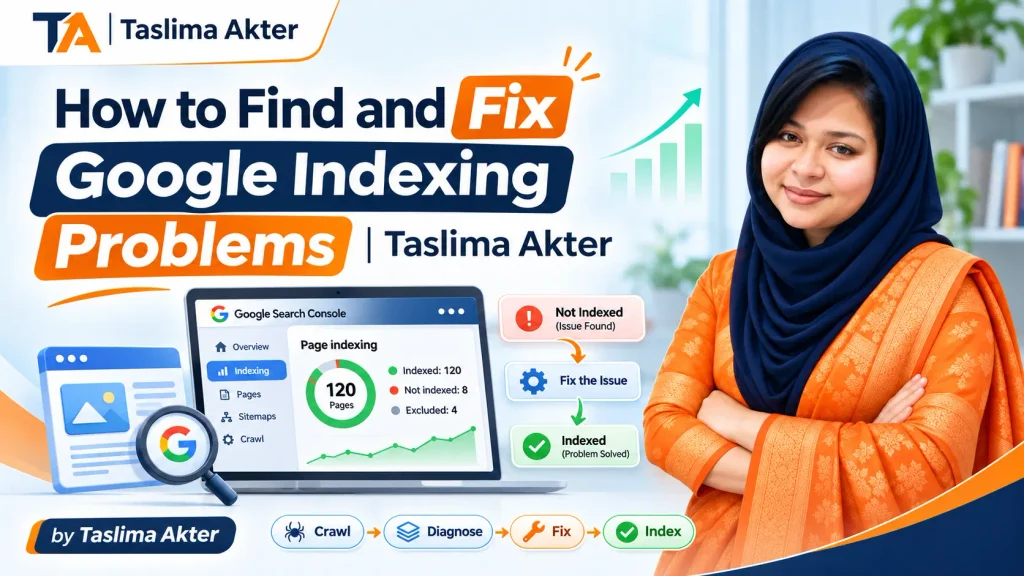
Google indexing problems can prevent important website pages from appearing in Google Search, even when those pages look completely normal to visitors. Imagine publishing a detailed service page, spending time improving its content, and linking it from your homepage. However, several weeks later, you discover that Google has not indexed it. Naturally, you begin wondering whether something is wrong with the website.
The explanation is not always obvious. Sometimes, a technical setting blocks search engine access. In other cases, Google discovers the page but does not select it for indexing. Additionally, duplicate content, incorrect canonical signals, server errors, and poor website structure may complicate the process.
Therefore, solving indexing issues requires more than repeatedly submitting URLs. First, website owners must identify the affected pages. Next, they need to understand why Google is excluding them. Finally, they should correct the underlying issue and monitor whether Google reassesses those pages.
This guide explains how to diagnose Google Search indexing issues using Google Search Console and practical technical SEO methods. Moreover, it distinguishes genuine errors from normal exclusions, helping business owners avoid unnecessary changes.
Fixing technical problems improves eligibility for indexing but does not guarantee inclusion in Google Search.
Taslima Akter, Chairman & Co-Founder at Floriva IT, focuses on technical SEO, keyword research, on-page optimization, and content strategy. Accordingly, this article emphasizes evidence-based troubleshooting, realistic expectations, and practical website improvements rather than guaranteed indexing promises.
How Google Crawling and Indexing Actually Work
Before correcting an indexing problem, it is essential to understand how Google processes website pages. Although people often use crawling and indexing interchangeably, they represent different stages of search discovery. Consequently, a page can be successfully crawled without being included in Google’s searchable index.
Discovery: How Google Finds Website URLs
Google discovers URLs through links, sitemaps, and other signals. For example, a new blog article linked from an established category page may be easier to discover than an isolated article with no internal links. Furthermore, an updated XML sitemap can help Google learn about important new or changed pages. However, sitemap submission is only a discovery aid, not an indexing guarantee.
Crawling: How Googlebot Accesses a Page
After discovering a URL, Googlebot may request it from the hosting server. During this stage, robots.txt rules, server availability, response codes, and rendering requirements can affect access. For instance, a server returning repeated errors may prevent Google from retrieving essential content. Likewise, important text generated entirely through JavaScript may require additional rendering checks.
Indexing: How Google Evaluates and Stores Content
When Google accesses a page, it evaluates its content and signals to determine whether the URL should enter the index. Additionally, Google may select a representative canonical page when several URLs contain substantially similar information. Therefore, successful crawling does not automatically mean that every version will be indexed.
Finally, indexing and ranking are separate concepts. An indexed page becomes eligible to appear in search results, but its actual visibility depends on relevance, quality, competition, and other search systems. Thus, the first goal when troubleshooting is confirming accessibility and eligibility before investigating rankings.
Simplified illustration of the search process.
How to Identify Google Indexing Problems in Search Console
Google Search Console provides some of the most useful information for diagnosing indexing concerns. Instead of relying only on a Google search for your URL, use Search Console to investigate page status, discovered URLs, and Google’s reported reasons for exclusion. Nevertheless, remember that report data may not update immediately after changes.
Check the Page Indexing Report
Open your verified website property and navigate to the Page Indexing report. First, review the indexed and not-indexed categories. Next, inspect the specific reasons Google provides, such as exclusions involving redirects, canonicalization, or crawling. Additionally, compare the affected URLs with your list of important service pages, articles, and products.
Not every excluded URL needs attention. For instance, an intentionally redirected old page or a properly canonicalized duplicate may be functioning as expected. Therefore, evaluate the business purpose of each URL before labeling its status an error.
Inspect an Individual URL
The URL Inspection tool helps investigate whether a specific page is known to Google, its indexing status, and relevant canonical information. Furthermore, the live test can examine the current accessible version of the page. This distinction matters because Google’s stored inspection information may reflect an earlier crawl.
For example, a URL may have been blocked last week but be accessible today. In that case, a successful live test suggests that the technical restriction has changed; however, it does not prove the page has already entered the index.
Prioritize Important URLs
Begin with homepage, service, product-category, and other commercially valuable pages. Meanwhile, review whether missing pages contain original information and serve distinct search intents. Consequently, your troubleshooting process will focus on pages that genuinely matter rather than attempting to index every generated URL.
Finally, record the date, current indexing status, suspected cause, and action taken. This simple documentation makes follow-up analysis easier and prevents teams from repeating the same unsuccessful changes.
Common Google Indexing Problems and What They Mean
Understanding Search Console status messages helps you distinguish genuine accessibility problems from normal indexing decisions. Although the labels may look technical, most can be investigated through a combination of URL inspection, website settings, and content assessment.
Discovered – Currently Not Indexed
This generally means Google knows about the URL but has not crawled it yet. Therefore, verify that the page is accessible, appears within a sensible linking structure, and belongs in your sitemap when appropriate. For large websites, server capacity and unnecessary URL generation may also deserve investigation. However, repeatedly requesting indexing does not necessarily resolve the underlying issue.
Crawled – Currently Not Indexed
Here, Google has crawled the page but has not selected it for indexing. This does not automatically establish a technical error. Instead, examine whether the content adds distinctive value, overlaps with existing pages, or inadequately addresses the intended query. Additionally, consider whether important internal links help establish the page’s relevance within the website.
Excluded by Noindex or Blocked by Robots.txt
A noindex directive explicitly instructs supporting search engines not to index the page. Conversely, robots.txt can restrict crawling access. These are not interchangeable. In particular, Google must generally crawl a page to observe its noindex directive. Thus, blocking crawling is not a reliable substitute for controlling indexing.
Duplicate Pages and Canonical Selection
Google may choose one representative URL when multiple pages contain substantially similar content. For example, tracking parameters or filtered category URLs may produce duplicate variations. Consequently, exclusions such as a Google-selected canonical differing from your preferred canonical need contextual evaluation rather than automatic correction.
Redirect Errors and Server Problems
Broken redirects, persistent server failures, and inaccessible URLs can interrupt crawling. Moreover, a supposedly valid page returning an error status cannot be treated like a normal successful page. Therefore, inspect the actual server response and redirect destination before modifying its SEO settings.
How to Fix Google Indexing Problems: A Practical Checklist
Once you identify the affected URLs, use a structured Google indexing troubleshooting checklist. Although each website differs, these steps help determine whether the problem involves access, technical configuration, duplicate content, or insufficient page value.
Step 1: Confirm the Page Should Be Indexed
Not every website URL belongs in Google Search. Internal search pages, certain filtered URLs, duplicate versions, and private content may be intentionally excluded. Therefore, establish the URL’s purpose before attempting to change its status.
Step 2: Check the HTTP Response and Crawl Access
Ensure the preferred page returns a successful HTTP response and does not redirect unexpectedly. Next, verify robots.txt restrictions and whether Googlebot can access essential content. Furthermore, investigate server errors or authentication requirements that could prevent crawling.
Step 3: Review Noindex and Canonical Settings
Inspect robots meta tags, relevant HTTP headers, and canonical signals. If the page should be indexed, remove accidental noindex directives and correct contradictory canonical configurations. However, retain appropriate exclusion settings on pages that should remain outside search results.
Step 4: Improve Content and Internal Linking
If Google has crawled the page without indexing it, evaluate its usefulness and distinctiveness. For instance, several nearly identical location pages may not provide sufficient independent value. Instead of making superficial wording changes, improve information that genuinely answers different customer needs. Additionally, connect relevant pages using descriptive, crawlable links.
Step 5: Update the Sitemap and Request Reindexing
Include important canonical URLs in your XML sitemap and maintain accurate update information. Afterwards, use URL Inspection to request indexing for selected important pages when appropriate. Nevertheless, submitting the same URL repeatedly does not guarantee faster processing, and Google’s decision remains independent.
Step 6: Monitor the Result
Finally, revisit Search Console after Google has had time to process the changes. Compare the previous issue with the updated URL status and confirm whether the intended page appears in the index. If the problem persists, investigate the broader website pattern instead of continually resubmitting one URL.
Confirm Purpose
Test Accessibility
Review Directives
Improve Content
Submit for Review
Monitor Status
Advanced Indexing Issues: JavaScript, Site Structure, and WordPress Settings
Sometimes, ordinary URL inspection does not reveal the complete explanation. In these situations, deeper technical SEO troubleshooting may be necessary, particularly for large e-commerce websites, JavaScript-heavy applications, and websites that recently changed their structure.
JavaScript Rendering and Missing Content
Some websites rely on JavaScript to create important text, navigation elements, or product information. Although Google can render many JavaScript pages, implementation problems may prevent essential content from being available during processing. Therefore, compare the rendered page with the version users see and ensure critical links use crawlable HTML anchors.
WordPress SEO Plugin and Visibility Settings
For WordPress websites, check whether the site’s search engine visibility setting or SEO plugin configuration unintentionally discourages indexing. Additionally, inspect individual pages for noindex selections and unexpected canonical destinations. However, do not change global settings without understanding their effects on archives, categories, and other page types.
Faceted Navigation and Duplicate URL Variations
Online stores frequently generate sorting, filtering, and tracking URLs. Consequently, Google may discover many variations that offer little additional value. An appropriate technical strategy should distinguish useful indexable category pages from temporary or duplicative combinations. Moreover, internal links, canonical signals, and sitemap inclusion should support the same intended URL structure.
Website Migrations and Server Availability
During a domain change or redesign, incorrect redirects and missing URLs can disrupt search discovery. Therefore, review old-to-new URL mappings, important internal links, and server responses. Likewise, recurring hosting failures may interfere with Google’s ability to fetch pages consistently.
Large websites may also need crawl efficiency analysis. Nevertheless, most small websites should first focus on basic accessibility, content relevance, and linking rather than assuming they have a serious crawl budget problem. Ultimately, technical complexity should be investigated according to observed evidence, not automatically blamed for every excluded URL.
How to Prevent Future Google Indexing Problems
Prevention is often more efficient than investigating hundreds of excluded URLs after a major website update. Therefore, businesses should establish a manageable monitoring routine that combines technical checks, content quality reviews, and clear publishing responsibilities.
Maintain a Clean Sitemap and Internal Linking Structure
Keep the XML sitemap focused on important, preferred URLs. Furthermore, ensure valuable pages are reachable through normal website navigation or contextual internal links. For example, a newly published service guide should connect naturally to its related service page and relevant supporting articles.
Audit Important Website Changes Before Publishing
Before launching a redesign, migration, or major plugin update, verify redirects, canonical settings, indexability, and important page templates. Additionally, review whether staging-site restrictions have accidentally remained active on the live website. Consequently, a simple pre-launch checklist can prevent avoidable technical mistakes.
Review Search Console and Prioritize Real Problems
Establish a reporting schedule based on website size and publishing frequency. First, monitor important indexing changes and significant technical failures. Next, compare them with recent website modifications. Finally, investigate patterns affecting commercial pages before addressing harmless exclusions.
From an SEO strategy perspective, Taslima Akter emphasizes the importance of technical evaluation, relevant content, and clear page purpose within website optimization. Accordingly, publishing fewer distinct, useful pages can be more sensible than generating numerous overlapping URLs. Moreover, each important page should have a clear role within the site’s overall architecture.
Although no maintenance process can guarantee that every page will be indexed, consistent monitoring reduces uncertainty. As a result, website owners are better positioned to identify genuine problems early and respond with measured corrections rather than unnecessary changes.
Frequently Asked Questions About Google Indexing Problems
These ten answers address common questions about Google indexing problems, Search Console reports, technical fixes, and realistic indexing expectations.
1. Why Is Google Not Indexing My Website?
Possible reasons include a new website, inaccessible pages, noindex directives, canonical selection, server errors, or content that Google has not selected for indexing. Therefore, start with Search Console rather than assuming a single cause. The URL Inspection tool can help identify the next investigation step.
2. What Does Crawled – Currently Not Indexed Mean?
It means Google crawled the page but did not include it in the index at that time. However, this status does not necessarily indicate a technical malfunction. Instead, review page usefulness, duplication, internal linking, and whether the URL serves a distinct search purpose.
3. What Does Discovered – Currently Not Indexed Mean?
Google knows about the URL but has not yet crawled it. Consequently, assess server availability, crawl accessibility, internal links, and the number of unnecessary URLs being generated. Nevertheless, the status alone does not prove a crawl budget problem.
4. How Can I Request Google to Index a Page?
Use the URL Inspection tool in Search Console for a page you manage, and request indexing when the feature is available. Additionally, maintain an appropriate XML sitemap. However, requesting indexing does not guarantee that Google will crawl or index the URL.
5. Can Robots.txt Prevent a Page From Being Indexed?
Robots.txt controls crawling access, not guaranteed exclusion from search results. For example, Google may still know about a blocked URL through external links. Therefore, use an appropriate noindex directive or access control when the objective is to prevent indexing.
6. Does Submitting an XML Sitemap Fix Indexing Issues?
A sitemap helps Google discover important URLs, but it cannot resolve every indexing problem. For instance, a noindexed or inaccessible page may remain excluded despite appearing in a sitemap. Consequently, correct technical and content-related issues before expecting a different result.
7. How Long Does Google Take to Index a Fixed Page?
There is no guaranteed timeframe. Depending on the website and type of change, reprocessing can take days or longer. Therefore, monitor Search Console and avoid repeatedly resubmitting unchanged URLs. A successful live test alone does not confirm inclusion in the index.
8. Why Does Google Choose a Different Canonical URL?
Google evaluates several signals when selecting a representative page from similar URLs. Although a canonical tag communicates your preference, Google may choose another version. Accordingly, review duplicate content, internal linking, redirects, sitemap signals, and conflicting canonical instructions.
9. Can Poor Content Cause Indexing Problems?
Content usefulness and distinctiveness can influence whether Google selects a page for indexing. However, exclusion does not automatically prove poor writing. Therefore, examine the broader context, including duplicated intent, accessibility, and the actual information offered to visitors.
10. When Should I Hire a Technical SEO Expert?
Professional assistance may be useful when indexing problems affect many important pages, persist after appropriate checks, or involve JavaScript, migrations, and server configuration. Additionally, a technical SEO specialist can help prioritize findings and coordinate implementation. Nevertheless, request clear deliverables rather than promises of guaranteed indexing.
Conclusion: Solve Google Indexing Problems With Evidence, Not Guesswork
Resolving Google indexing problems begins with understanding whether a page is discovered, crawlable, indexable, and genuinely useful. Although Search Console provides valuable diagnostic information, its exclusion reports should be interpreted carefully. Not every excluded URL represents an error, and not every technical correction results in indexing.
Therefore, concentrate on the pages that matter to your business. First, verify accessibility and server responses. Next, examine noindex and canonical settings. Furthermore, improve unique content and relevant internal linking where necessary. Finally, request reindexing appropriately and monitor the outcome.
For businesses in Bangladesh, these practices can support a more reliable technical SEO foundation. Moreover, documenting issues and coordinating website changes helps reduce recurring problems across product, service, and informational pages.
Taslima Akter, Chairman & Co-Founder at Floriva IT, works across technical SEO, on-page optimization, keyword research, and content strategy. Ultimately, website owners should approach indexing as an ongoing process of accessibility, quality, and monitoring rather than an instant ranking shortcut.